Best App to Sell ChooseYourCard Gift Cards in Nigeria
As of June 2026, ChooseYourCard gift cards remain a popular multi-brand option in Nigeria, allowing recipients to choose from a catalog of partner retailers. If you'd rather convert your card to cash instead of redeeming it, mobile apps offer a practical way to get an instant quote and fast payout without leaving your home.
 Gift Card Rate CalculatorCash value₦—Pick a category to see your rateRates are indicative. The final rate is confirmed on the CardHorse app at the time of trade.
What to Look For in a Gift Card App
Not all gift card apps operate the same way. Before you upload your card details, check for these features:
Real-time pricing. The app should show you the current rate before you commit. Rates fluctuate based on demand and card type, so a live quote helps you decide if the offer works for you.
Transparent fees. Some platforms deduct service charges or processing fees. A reliable app lists all costs upfront so you know exactly what you'll receive.
Fast payout. Look for apps that transfer funds to your Nigerian bank account typically within minutes after verification. Slow payout windows can leave you waiting days.
Secure upload process. Your card code and PIN are sensitive. The app should use encryption and never ask you to share details outside the platform.
Local payment support. The app should accept Nigerian bank accounts and process transactions in Naira without requiring a foreign account.
Selling on the Cardhorse App
Cardhorse is designed for Nigerian users who want to sell gift cards from their phone. The app supports ChooseYourCard along with other popular brands, and it provides a clear rate before you submit your card.
Here's what the app offers:
Instant rate check. Open the app, select ChooseYourCard, and see the current rate for your card's denomination. No signup required to view rates.
Straightforward upload. Once you're ready, create an account, upload a photo of your card's front and back, and enter the card code. The app verifies the details and confirms the transaction.
Fast payment. After verification, funds arrive in your Nigerian bank account typically within minutes. You can track the status of your transaction from the app dashboard.
No hidden charges. The rate you see is the rate you get. Cardhorse doesn't add surprise fees at the end of the process.
Download the Cardhorse app at https://play.google.com/store/apps/details?id=com.cardhorse.app
How to Sell via the App – Step by Step
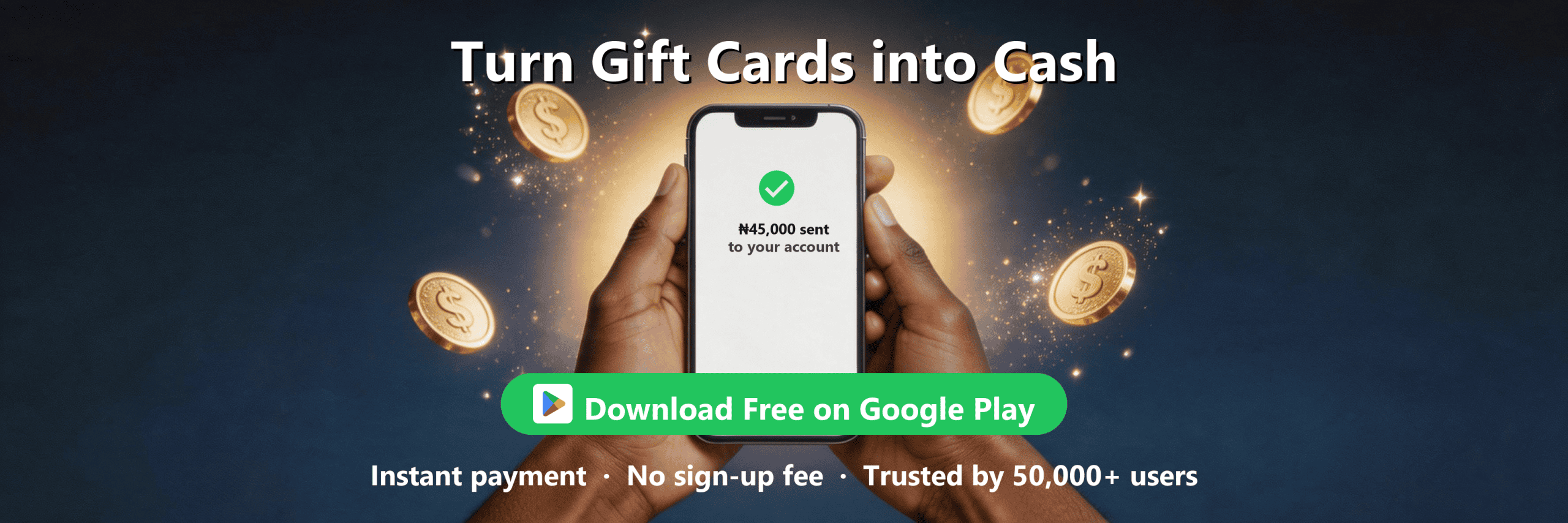
Step 1. Download the app. Install Cardhorse from the Google Play Store. The app is free and doesn't require payment to view rates.
Step 2. Check the rate. Open the app, tap on ChooseYourCard, and select your card's denomination. The app displays the current rate in Naira.
Step 3. Create an account. If the rate works for you, sign up with your email and phone number. The process takes under a minute.
Step 4. Upload your card. Take a clear photo of the front and back of your card. Make sure the card code and PIN are fully visible and in focus.
Step 5. Enter card details. Type in the card code and any other required information. Double-check for errors before submitting.
Step 6. Submit for verification. The app checks the card's validity and balance. This usually takes a few minutes.
Step 7. Add your bank details. Enter your Nigerian bank account information. The app uses this to transfer your payout.
Step 8. Receive your payment. Once verification is complete, funds arrive in your account typically within minutes. You'll get a notification when the transfer is processed.
Why Use an App Instead of Other Methods
Selling through an app offers several advantages over other methods:
Convenience. You can sell from anywhere without visiting a physical location or arranging a meetup. The entire process happens on your phone.
Speed. Apps process transactions faster than email-based platforms or manual verification systems. You get your cash the same day.
Rate transparency. You see the offer before committing. With peer-to-peer deals or social media groups, rates can shift after you've already shared your card details.
Lower scam risk. Verified apps hold your card information securely and only release your code after confirming payment. Direct peer-to-peer trades carry higher risk of fraud.
Tips for Using Gift Card Apps Safely
Even with a reliable app, follow these practices to protect yourself:
Verify the app source. Download only from official app stores. Third-party APK files or unofficial links can contain malware.
Check reviews. Read recent user feedback before installing. Look for consistent complaints about delayed payments or poor support.
Never share outside the platform. If someone contacts you asking to complete the transaction via WhatsApp or another channel, decline. Legitimate platforms handle everything in-app.
Save your card photo. Take a backup photo before uploading. If there's a dispute, you'll have proof of the card's original condition.
Use strong account security. Enable two-factor authentication if the app offers it. Don't reuse passwords from other accounts.
Sell Your Gift Card Anywhere, Anytime
The Cardhorse app lets you check live rates, submit your card, and receive payment directly to your account — all from your phone.
Frequently Asked Questions
Can I sell a ChooseYourCard gift card that's already been activated?
Yes, as long as the card has a remaining balance. Check the balance at chooseyourcard.com before selling. The app will verify the available amount and adjust the payout accordingly.
How long does it take to receive payment after selling on the Cardhorse app?
Funds typically arrive within minutes after verification is complete. Bank processing times may vary slightly depending on your financial institution, but most users receive their payout the same day.
What denominations of ChooseYourCard gift cards does the Cardhorse app accept?
The app accepts common denominations including $25, $50, $75, $100, $150, and $200. Select your card's value in the app to see the current rate for that amount.
Do I need to pay a fee to use the Cardhorse app?
No, downloading and using the app is free. The rate displayed includes all charges, so the amount you see is the amount you receive. There are no surprise deductions at payout.
What happens if my ChooseYourCard gift card is declined during verification?
If the card is invalid, already redeemed, or has a different balance than stated, the transaction will be canceled. Your account won't be charged, and you can contact support to resolve the issue or try a different card.
If you have a valid ChooseYourCard gift card you'd rather convert to cash, the Cardhorse app provides a transparent rate and fast payment directly to your Nigerian bank account.
Sell Your ChooseYourCard Gift Card on Cardhorse →
Part of: ChooseYourCard Gift Cards
Related Guides
- How to Buy ChooseYourCard Gift Card in Nigeria – Step-by-Step Guide
- "ChooseYourCard Gift Card Already Redeemed" — What to Do
- Common ChooseYourCard Gift Card WhatsApp & Social Media Scams
Tags: #ChooseYourCard , #Nigeria.
Prev : How to Sell ChooseYourCard Gift Cards Safely Without Getting Scammed
Next : Where Can I Sell a Blackbird Gift Card?
As of June 2026, ChooseYourCard gift cards remain a popular multi-brand option in Nigeria, allowing recipients to choose from a catalog of partner retailers. If you'd rather convert your card to cash instead of redeeming it, mobile apps offer a practical way to get an instant quote and fast payout without leaving your home.
Gift Card Rate CalculatorWhat to Look For in a Gift Card App
Not all gift card apps operate the same way. Before you upload your card details, check for these features:
Real-time pricing. The app should show you the current rate before you commit. Rates fluctuate based on demand and card type, so a live quote helps you decide if the offer works for you.
Transparent fees. Some platforms deduct service charges or processing fees. A reliable app lists all costs upfront so you know exactly what you'll receive.
Fast payout. Look for apps that transfer funds to your Nigerian bank account typically within minutes after verification. Slow payout windows can leave you waiting days.
Secure upload process. Your card code and PIN are sensitive. The app should use encryption and never ask you to share details outside the platform.
Local payment support. The app should accept Nigerian bank accounts and process transactions in Naira without requiring a foreign account.
Selling on the Cardhorse App
Cardhorse is designed for Nigerian users who want to sell gift cards from their phone. The app supports ChooseYourCard along with other popular brands, and it provides a clear rate before you submit your card.
Here's what the app offers:
Instant rate check. Open the app, select ChooseYourCard, and see the current rate for your card's denomination. No signup required to view rates.
Straightforward upload. Once you're ready, create an account, upload a photo of your card's front and back, and enter the card code. The app verifies the details and confirms the transaction.
Fast payment. After verification, funds arrive in your Nigerian bank account typically within minutes. You can track the status of your transaction from the app dashboard.
No hidden charges. The rate you see is the rate you get. Cardhorse doesn't add surprise fees at the end of the process.
Download the Cardhorse app at https://play.google.com/store/apps/details?id=com.cardhorse.app
How to Sell via the App – Step by Step
Step 1. Download the app. Install Cardhorse from the Google Play Store. The app is free and doesn't require payment to view rates.
Step 2. Check the rate. Open the app, tap on ChooseYourCard, and select your card's denomination. The app displays the current rate in Naira.
Step 3. Create an account. If the rate works for you, sign up with your email and phone number. The process takes under a minute.
Step 4. Upload your card. Take a clear photo of the front and back of your card. Make sure the card code and PIN are fully visible and in focus.
Step 5. Enter card details. Type in the card code and any other required information. Double-check for errors before submitting.
Step 6. Submit for verification. The app checks the card's validity and balance. This usually takes a few minutes.
Step 7. Add your bank details. Enter your Nigerian bank account information. The app uses this to transfer your payout.
Step 8. Receive your payment. Once verification is complete, funds arrive in your account typically within minutes. You'll get a notification when the transfer is processed.
Why Use an App Instead of Other Methods
Selling through an app offers several advantages over other methods:
Convenience. You can sell from anywhere without visiting a physical location or arranging a meetup. The entire process happens on your phone.
Speed. Apps process transactions faster than email-based platforms or manual verification systems. You get your cash the same day.
Rate transparency. You see the offer before committing. With peer-to-peer deals or social media groups, rates can shift after you've already shared your card details.
Lower scam risk. Verified apps hold your card information securely and only release your code after confirming payment. Direct peer-to-peer trades carry higher risk of fraud.
Tips for Using Gift Card Apps Safely
Even with a reliable app, follow these practices to protect yourself:
Verify the app source. Download only from official app stores. Third-party APK files or unofficial links can contain malware.
Check reviews. Read recent user feedback before installing. Look for consistent complaints about delayed payments or poor support.
Never share outside the platform. If someone contacts you asking to complete the transaction via WhatsApp or another channel, decline. Legitimate platforms handle everything in-app.
Save your card photo. Take a backup photo before uploading. If there's a dispute, you'll have proof of the card's original condition.
Use strong account security. Enable two-factor authentication if the app offers it. Don't reuse passwords from other accounts.
Sell Your Gift Card Anywhere, Anytime
The Cardhorse app lets you check live rates, submit your card, and receive payment directly to your account — all from your phone.
Frequently Asked Questions
Can I sell a ChooseYourCard gift card that's already been activated?
Yes, as long as the card has a remaining balance. Check the balance at chooseyourcard.com before selling. The app will verify the available amount and adjust the payout accordingly.
How long does it take to receive payment after selling on the Cardhorse app?
Funds typically arrive within minutes after verification is complete. Bank processing times may vary slightly depending on your financial institution, but most users receive their payout the same day.
What denominations of ChooseYourCard gift cards does the Cardhorse app accept?
The app accepts common denominations including $25, $50, $75, $100, $150, and $200. Select your card's value in the app to see the current rate for that amount.
Do I need to pay a fee to use the Cardhorse app?
No, downloading and using the app is free. The rate displayed includes all charges, so the amount you see is the amount you receive. There are no surprise deductions at payout.
What happens if my ChooseYourCard gift card is declined during verification?
If the card is invalid, already redeemed, or has a different balance than stated, the transaction will be canceled. Your account won't be charged, and you can contact support to resolve the issue or try a different card.
If you have a valid ChooseYourCard gift card you'd rather convert to cash, the Cardhorse app provides a transparent rate and fast payment directly to your Nigerian bank account.
Sell Your ChooseYourCard Gift Card on Cardhorse →
Part of: ChooseYourCard Gift Cards
Related Guides
- How to Buy ChooseYourCard Gift Card in Nigeria – Step-by-Step Guide
- "ChooseYourCard Gift Card Already Redeemed" — What to Do
- Common ChooseYourCard Gift Card WhatsApp & Social Media Scams
Tags: #ChooseYourCard , #Nigeria.
Prev : How to Sell ChooseYourCard Gift Cards Safely Without Getting Scammed
Next : Where Can I Sell a Blackbird Gift Card?
 Google Play
 Whatsapp
 Google Play
 Whatsapp


